Selector
Graph context-menu category: Flow Control. Editor menu label: Selector.
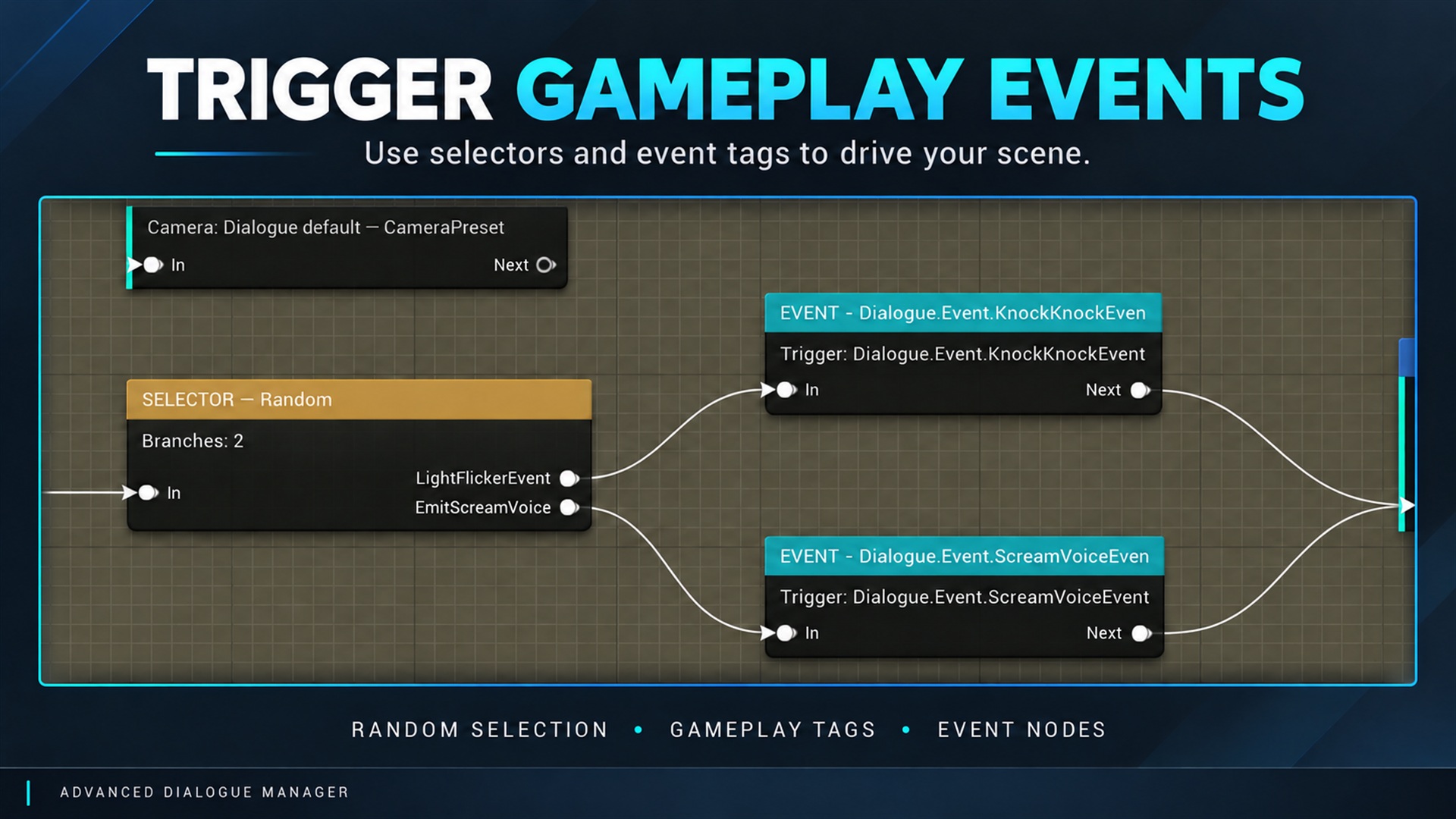
Selector node and dialogue graph example. Supplied product gallery image; any captions/overlays are promotional, not interactive controls. Chooses a connected branch automatically; it does not display player choices.
| Mode | Behavior |
|---|---|
| First Connected | First connected branch in authored order; ignores eligibility conditions |
| First Valid | First eligible branch in order; unconditional final branch provides a fallback |
| Random | Random connected branch; repeats allowed |
| Random No Repeat | Avoids the immediately preceding selection when alternatives exist |
| Sequential | Cycles in authored order |
| Shuffle | Uses connected branches in shuffled cycles; avoids boundary repetition when possible |
Conditions belong to First Valid behavior. Stateful mode memory belongs to the component and is included in captured narrative progress. Reordering branches can change the meaning of stored positions.
Screenshot S07: Selector mode and labeled outputs.
How to use this node
Section titled “How to use this node”- Open a Dialogue Asset and right-click an empty section of the graph.
- Find the node under the category given above (START is created as part of the graph).
- Configure its fields in the Details panel and connect the flow pins shown in your editor.
- Save the asset and inspect the validation and runtime tools.
Runtime and integration notes
Section titled “Runtime and integration notes”The runtime meaning is documented above from the bundled node reference. The graph is compiled to runtime node data; this is not an Unreal Engine Event Graph node. For behavior spanning gameplay objects, see Gameplay events or Blueprint APIs.