Gameplay events and asynchronous signals
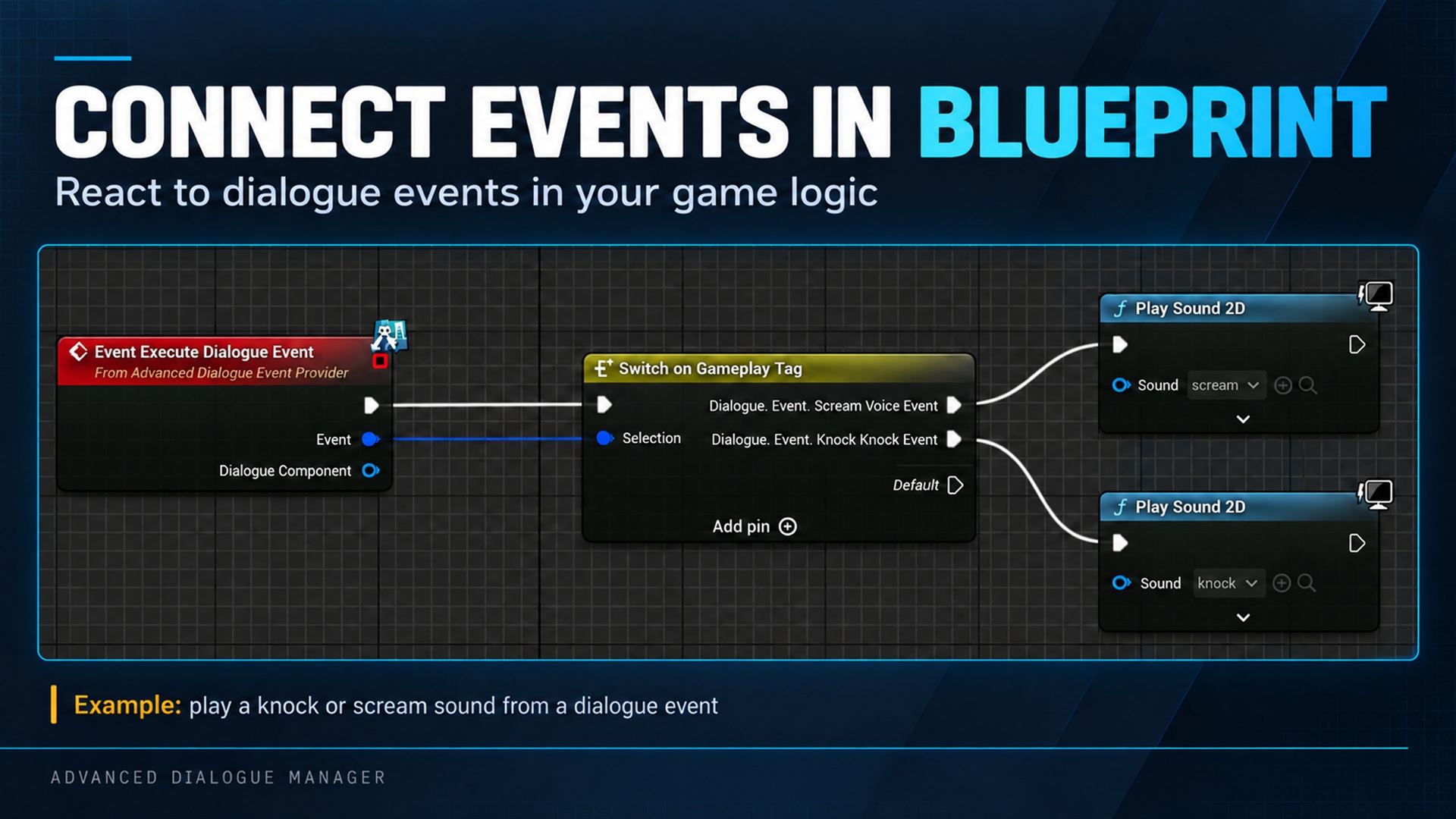
Gameplay events and asynchronous signals. Supplied product gallery image; any captions/overlays are promotional, not interactive controls.
Trigger a gameplay effect
Section titled “Trigger a gameplay effect”Add an Event with Dialogue.Event.FlickerLights between two lines. Handle On Dialogue Event Requested on the component, compare the tag, and start the light effect.
Alternatively, implement Advanced Dialogue Event Provider and its Execute Dialogue Event function. The component’s external-event source selects This Actor or Another Object; assign Event Handler when using Another Object.
The event delegate and provider can both run. Choose one place for the actual side effect to avoid flickering twice.
Wait for gameplay completion
Section titled “Wait for gameplay completion”An Event immediately follows its flow. To wait for the effect:
Event: start door animation→ Wait for Signal: Dialogue.Signal.DoorOpened→ Anna: "It's open."When the door animation finishes, call Signal Dialogue on the same running component with that exact tag. The bool return tells you whether the active wait accepted it.
Configure a finite timeout and connect TimedOut to a fallback line if completion might fail.
Ordering matters: signals sent synchronously inside the preceding Event handler arrive before Wait for Signal is active and are ignored. Use the actual asynchronous completion callback. For an operation that might already be complete, track its state and check it when the wait becomes active, after node setup finishes.
Signals sent while paused are also ignored. If gameplay continues during a dialogue pause, keep completion state in the game and notify the wait after resume. Stop cancels the waiting conversation.
Reaching an Event during normal traversal can execute it again on a later visit. Design repeatable effects deliberately. Loading dialogue progress alone does not restore the physical door.